Running GPT-OSS Locally: What OpenAI Just Made Possible (And What It Didn't)
OpenAI released GPT‑OSS under an open licence. Here's what that really means, how I ran it on a Mac mini, and where you might start experimenting too.


OpenAI just released a pair of open-weight models, GPT‑OSS‑20B and GPT‑OSS‑120B, under the Apache 2.0 licence. It’s a noteworthy shift. For the first time since GPT‑2, OpenAI has put out models that you can download, run locally, fine-tune, and even commercialise. That deserves a closer look.
This post builds on earlier stories where I experimented with running LLaMA models on a Mac mini, explored the fine line between open source and open access, and tested local models on both desktop and mobile devices. GPT‑OSS fits neatly into that thread and marks a pragmatic new step.
What is GPT‑OSS?
GPT‑OSS comes in two versions:
- GPT‑OSS‑20B: a sparse model (only part of it activates per input)
- GPT‑OSS‑120B: a much larger MoE (Mixture of Experts) model
Both are trained to support long contexts, tool use, and complex instructions. The weights are publicly released, the models run locally, and the licence is permissive: Apache 2.0.
But OpenAI stops short of calling it open source. And that’s intentional.
Why this is a big deal
This is the first time OpenAI has:
- Released weights under an OSI-approved licence
- Enabled full local use with no platform lock-in
- Signalled support for decentralised deployment, without the gatekeeping of the GPT‑4/ChatGPT API stack
It also positions OpenAI among the growing field of developers contributing to the ecosystem and not just guarding its commercial moat.
What’s open, what’s not
Here’s a simplified breakdown:
| Component | GPT‑OSS | Truly Open Source? |
|---|---|---|
| Model weights | ✅ | ✅ |
| Inference code | ✅ | ✅ |
| Training data | ❌ | ✅ (ideal) |
| Training method | ❌ | ✅ (ideal) |
| Licence (Apache 2.0) | ✅ | ✅ |
You can run the models, adapt them, and use them commercially but you can’t yet reproduce them or fully inspect how they were trained.
Running GPT‑OSS on a Mac mini
I used Ollama to run GPT‑OSS‑20B on my Mac mini, the same machine I previously used for LLaMA.
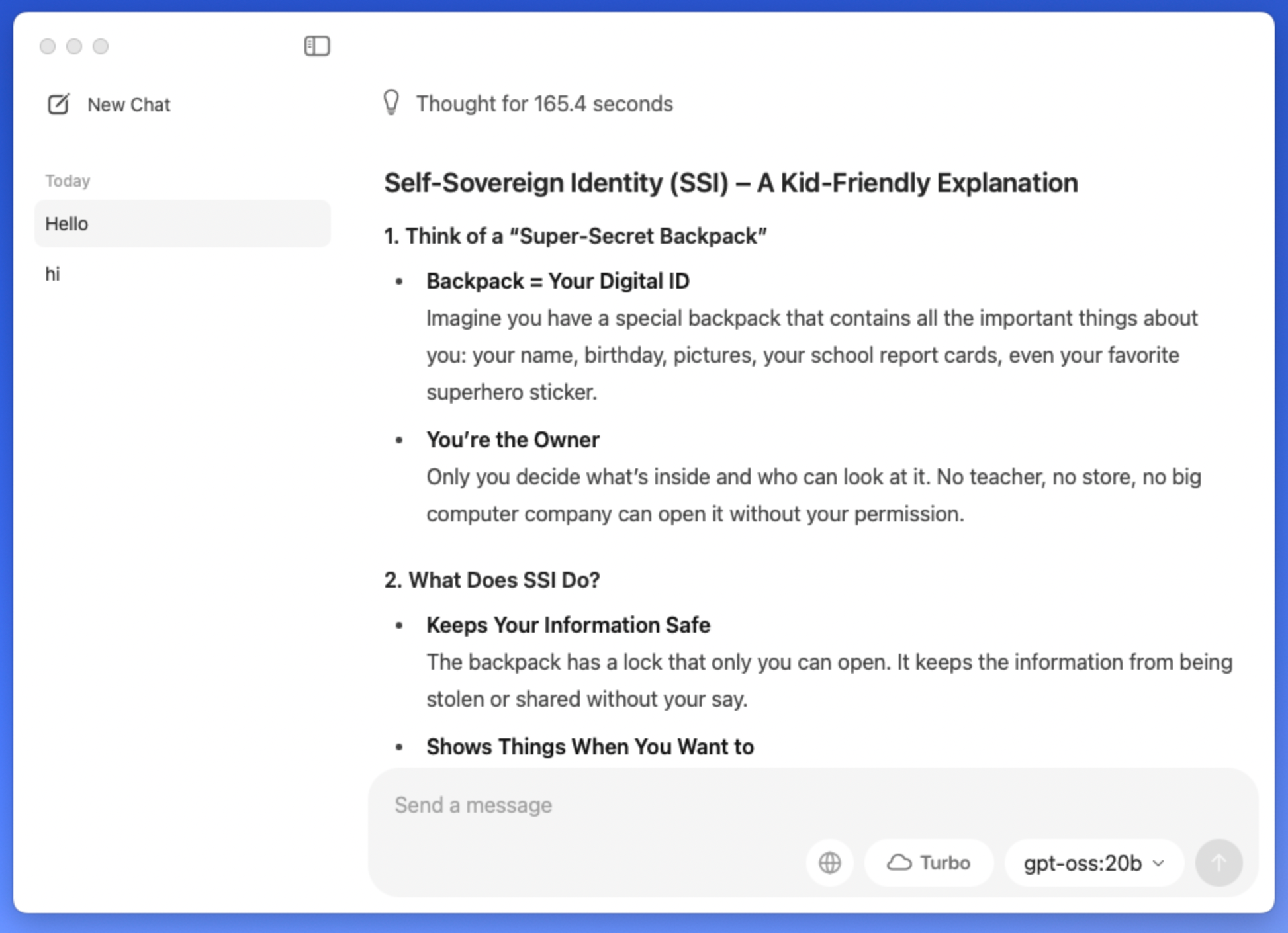
Installation was seamless:
ollama run openai/gpt-oss
Performance was not really impressive. GPT‑OSS‑20B runs ok on Apple Silicon, and the quality is comparable to other 20B-class sparse models. It's usable for writing assistance, coding, and lightweight local inference.
 Rob Hoeijmakers
What didn’t work (yet)
I attempted to run it on an iPhone, out of curiosity. As expected, this was too much, both in terms of size and current tooling. For now, even quantised versions aren’t viable on mobile without careful pruning or architectural compression.
Still, this fits a pattern. We're getting closer to viable mobile LLMs, especially with Apple, Google, and Microsoft all showing movement in this space.
 Rob Hoeijmakers
What you can do with it
- Run a private assistant with no server callouts
- Fine-tune the model for your own domain or language
- Benchmark its outputs against GPT-3.5 or Mixtral
- Use it in apps without sending data to OpenAI
- Build tools, integrations, or even commercial products
All of this is legally allowed under Apache 2.0.
A few cautions
While the model is powerful and free to use:
- There’s no visibility into training data
- You are still bound by OpenAI’s use-case policies
- Model card and system card documentation is limited
If you're deploying this in a safety-critical or regulated context, keep that in mind. I’ve written previously about the role of system cards in communicating model limitations — and GPT‑OSS offers only partial transparency.
 Rob Hoeijmakers
Final thoughts
This release makes local LLMs more accessible than ever and from a source that until now kept tight control. It’s not fully open source, but it is open enough to experiment, build, and even go to market.
OpenAI is making room in the ecosystem it once stood apart from. That’s a good thing.
 Rob Hoeijmakers
 Rob Hoeijmakers