When AI Moves Into Your Working Environment
The real change in AI may not be the models, but where they run. When AI enters the working environment, the workflow itself begins to shift.


For most people, AI still lives in a chat window.
You open a browser tab, type a prompt, receive an answer, and copy the result somewhere else. It works surprisingly well, and for many tasks that model is perfectly sufficient.
Over the past weeks I started experimenting with a slightly different setup.
Instead of keeping AI in the browser, I began running several AI tools directly inside my working environment.
A different place for AI
The environment I am referring to is what developers call an IDE, short for Integrated Development Environment.
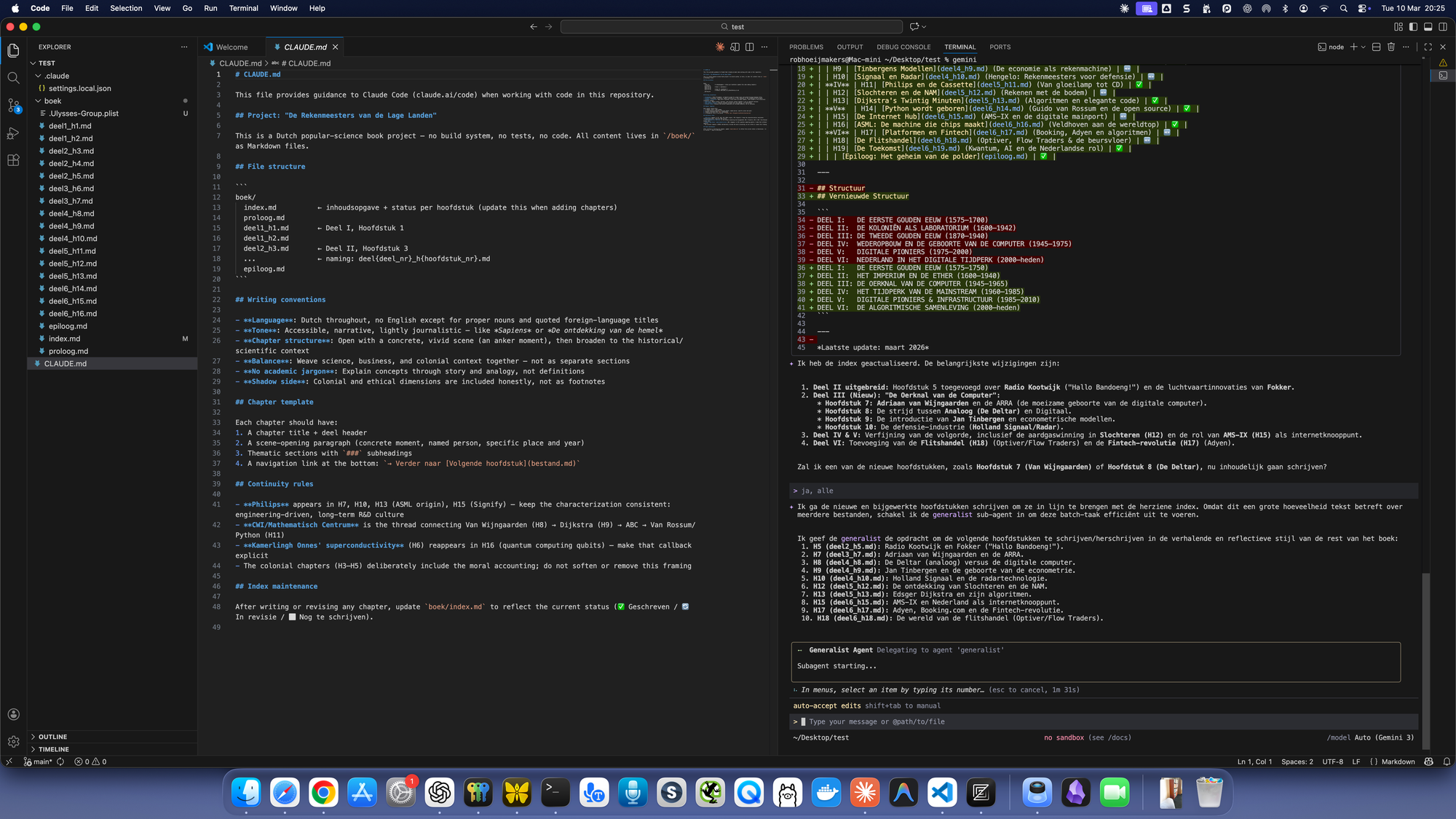
In simple terms, it is a workspace where files, folders, editing tools, and terminal access come together in one application. Tools like Visual Studio Code are commonly used for this.
Traditionally, IDEs are used to write and manage software. But in practice they are simply structured environments for working with collections of files.
That turns out to be an interesting place for AI to operate.
From asking questions to working on material
When AI runs in a browser, the interaction is mostly conversational. You ask something, receive a response, and decide what to do with it.
When AI runs inside the working environment itself, the relationship changes slightly.
The AI is no longer separate from the material. It operates in the same environment where the files already live.
Notes, drafts, document collections, code repositories, and folders are all directly visible within the workspace. The AI can analyse, summarise, or modify parts of that material with much less copying and pasting.
It starts to feel less like asking questions and more like working on the material together.
A small experiment
In my case the setup was simple.
Inside the IDE I opened several terminal sessions and ran different AI models as command-line tools. Each session could analyse files, summarise content, or help restructure information.
The interesting part was not the models themselves. The models are broadly similar to the ones people already use in chat interfaces.
What changed was the location of the interaction.
The AI was no longer something I briefly consulted. It was part of the environment where the work itself was taking place.
Why this might matter
This setup is still somewhat experimental and more common among developers. But the underlying idea may turn out to be relevant for knowledge work more broadly.
Much of our work revolves around collections of material: notes, documents, drafts, datasets, and repositories of information.
If AI tools operate directly inside those environments rather than outside them, the workflow changes.
Less asking.
More collaborating with the material itself.
It is a small shift, but it may turn out to be an important one.
 Rob Hoeijmakers