
Voice Mode Without the Screen
Voice mode with Gemini and ChatGPT. On iOS the lock screen, Dynamic Island, and Live Activities decide whether your assistant stays visible.


When the phone locks but the conversation with Gemini / ChatGPT continues
Voice mode is a way of using the phone when the screen gets in the way. Walking outside. Carrying bags. Looking around instead of down. In those moments, a conversational assistant can help you think aloud, check something quickly, or have the phone read what is on the display while your hands and eyes are elsewhere.
Modern iPhones add a new capability to that scenario. The lock screen is no longer just a barrier. It has become a minimal interface. It can keep part of a session visible and under control even when the device locks itself. A stop button. A subtle indicator that the microphone is active. Presence without demanding attention.
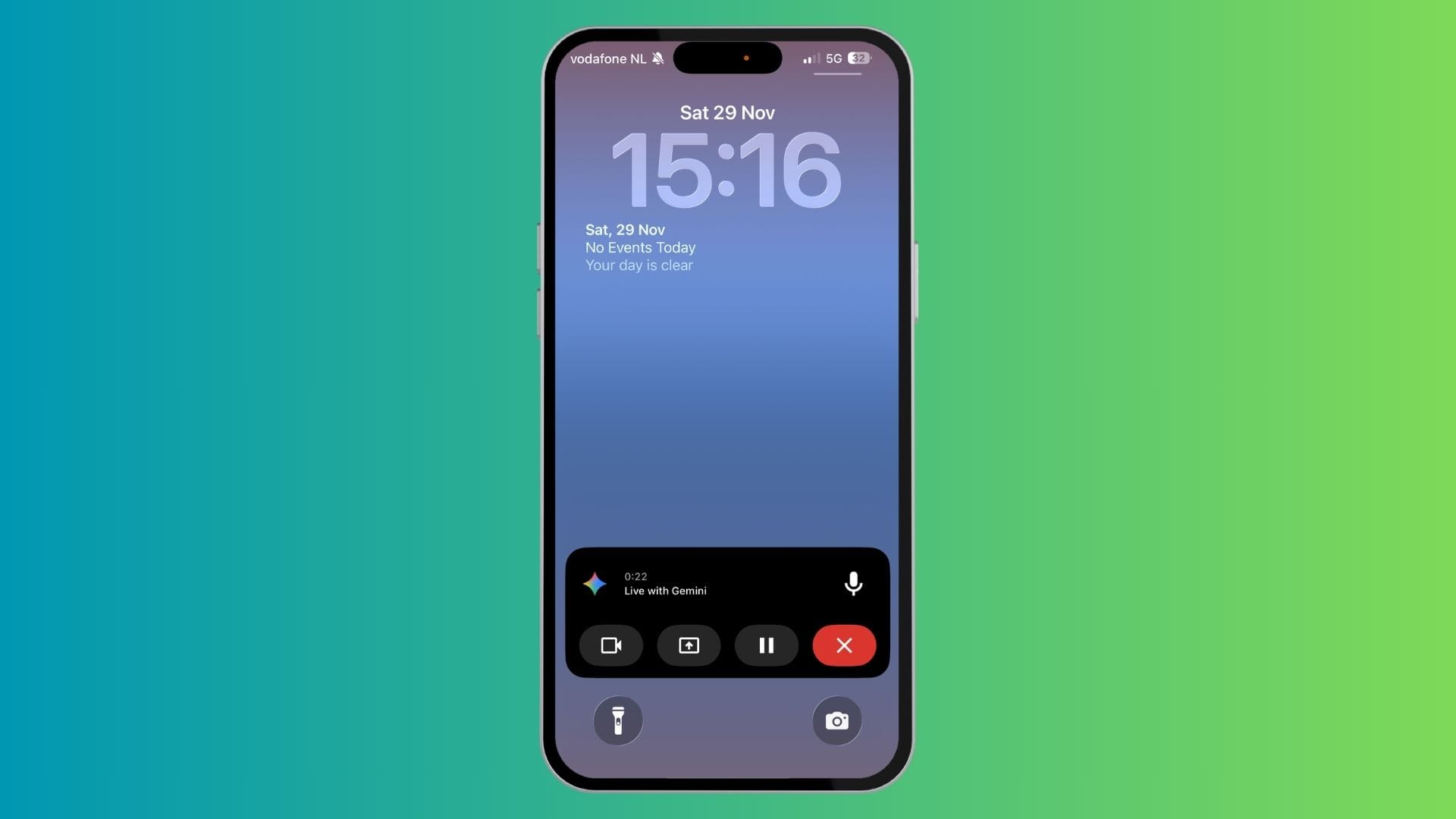
A real-world test
Recent improvements in the voice modes of ChatGPT and Google’s Gemini made me curious to try them again in motion. So I took a long walk and compared both, with the phone slipping into the background.
Both were fluent and responsive. But something unexpected happened. ChatGPT’s Live Activity never appeared. The screen locked, the conversation went on, and all signs of it disappeared. To pause or stop, I needed to unlock the phone and find my way back into the right view. It disrupted the flow and chipped away at the sense of ease.
The failure was small. The impact was not. It showed how much trust depends on what happens after the screen goes dark.
The invisible support structure
Live Activities and the Dynamic Island are designed to prevent such confusion. They bridge the gap between app and operating system. A thin, ambient surface that keeps the session anchored. They tell you that the assistant is still there. They give you a way to take control back instantly.
We only notice this layer when it disappears. There is no dashboard where you can see what is active. No way to manage it directly. We rely entirely on iOS to make the right call about visibility.
That reliance is already shaping the user experience of voice. Not the intelligence. Not the personality. But the subtle infrastructure that keeps interaction grounded when attention moves elsewhere.
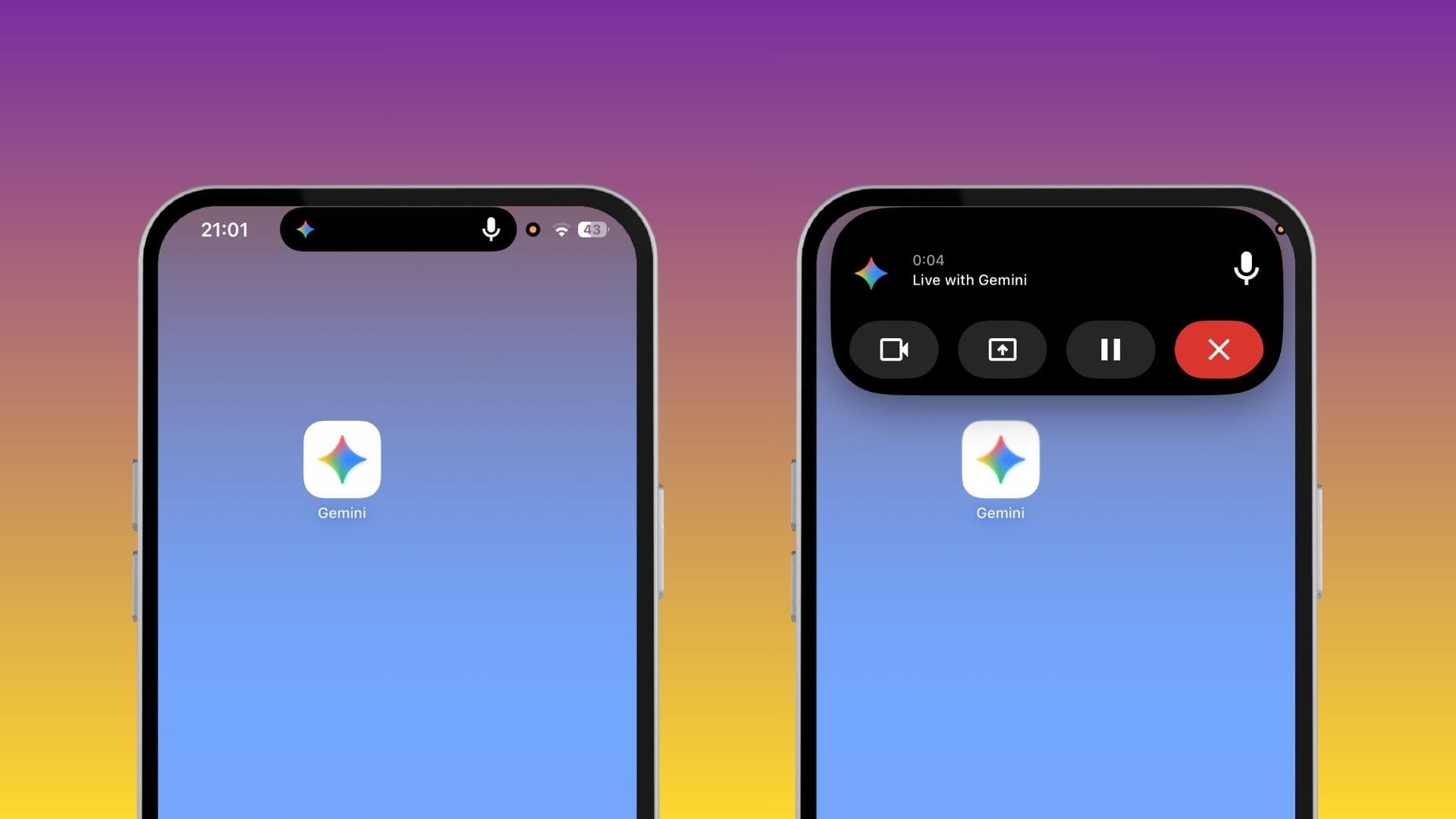
The condition for confidence
Voice mode is a useful modality alongside reading and dictation. Not faster. Not always better. But perfect for the moments when screens are unwelcome.
For that to feel natural, continuity must be visible and control must be immediate. A locked phone still listening must give clear reassurance. Otherwise, the interface feels like it has vanished while the microphone remains open.
A dependable voice assistant requires more than a good voice. It needs the operating system to support the interaction quietly and consistently.
Learning to see the hidden layer
I am oddly grateful the feature failed. It forced me to dig into this system layer and learn the vocabulary for what I was experiencing. It revealed where hands-free interaction actually lives: not in the model itself, but in the orchestration around it.
Voice without the screen can feel liberating. It can also feel unsettling. The difference lies in the smallest handles that keep us aware of what is happening when we stop looking.
P.s. If anyone knows how to fix the Live Activities on ChatGPT's Voice Mode I would be really happy.
 Rob Hoeijmakers
 Rob Hoeijmakers
 Rob Hoeijmakers