
When Rules Learn to Think: Discovering Google Workspace Flows
A small ‘Flows’ button in Gmail opened a new chapter in how we automate our work. What began as simple rules now behaves like intelligent agents. Powered by Gemini, Google’s expanding AI layer for Workspace and beyond.


I wasn’t looking for a new AI feature.
It simply appeared, a small Flows button in my Gmail sidebar.
Within minutes I was building automations that not only moved messages or added labels, but actually read and understood them.
That first experiment turned into a small revelation.

Quick takeaways
- Workspace Flows turns classic Gmail filters and scripts into intelligent, no-code workflows.
- These flows can use Gemini, Google’s AI model, to summarise, analyse, or classify messages and documents.
- The tool sits inside a growing family of Google initiatives, Gems, Gemini for Workspace, and the enterprise-scale Agentspace, each representing a different layer of “agentic” automation.
- The result: automation becomes conversational. You describe what you want, the workspace builds the logic.
From filters to flows
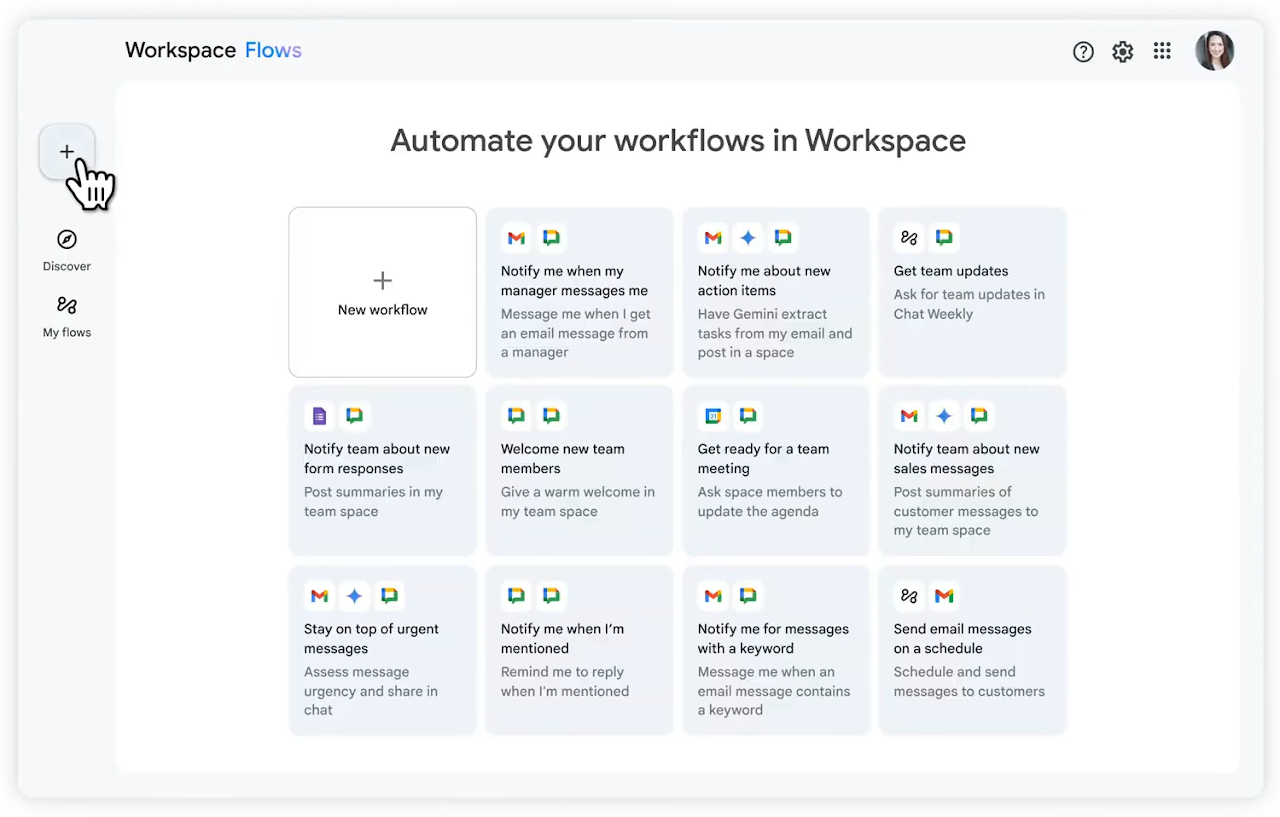
What once required scripting or third-party tools now lives natively in Workspace.
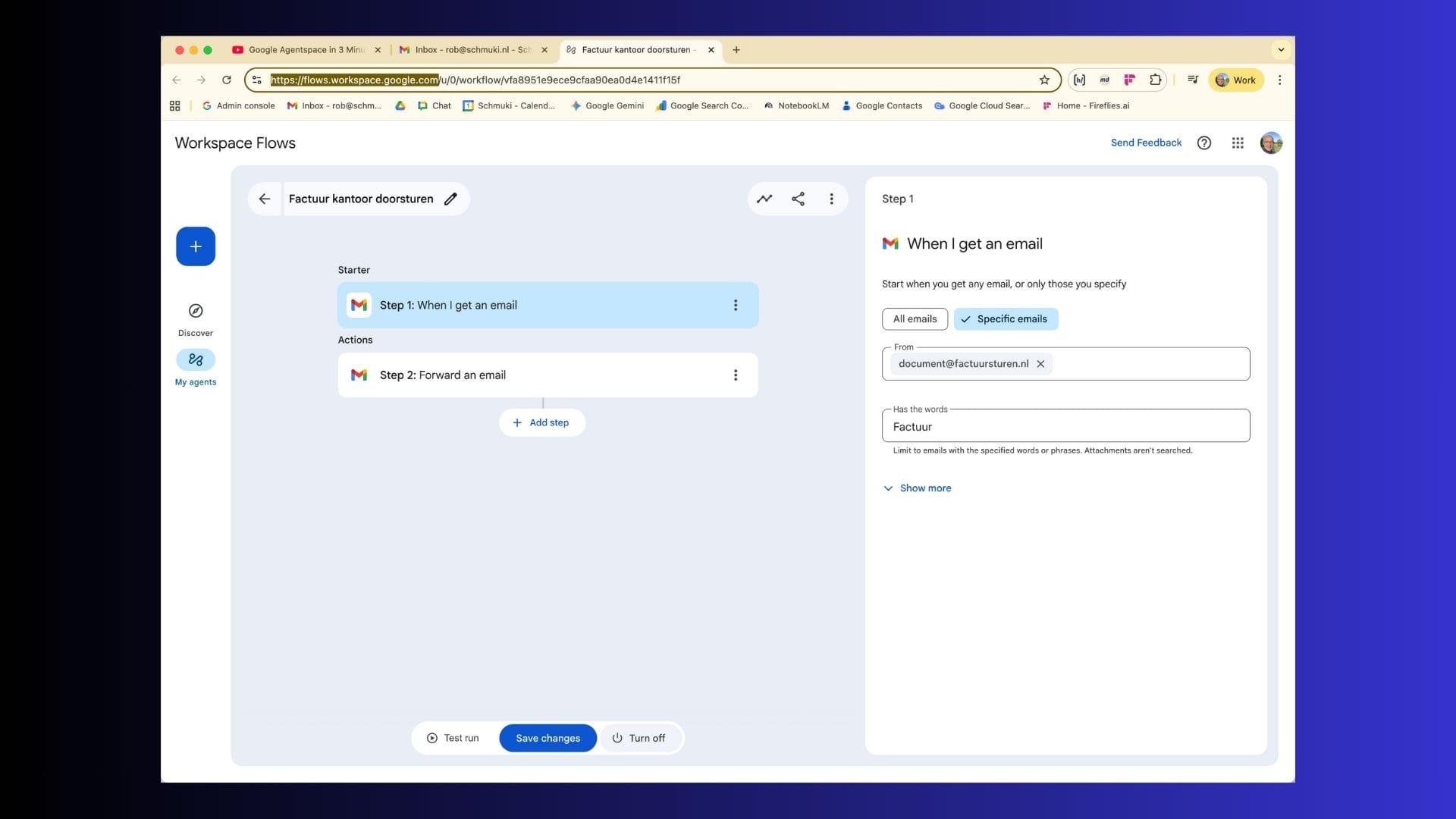
You start with a trigger — “when a message arrives from…” — and add actions: move it, reply, store an attachment, post to Chat.
The difference is that Gemini can now interpret what the message says.
It can summarise, detect tone, or decide which folder fits best.
In other words: the logic becomes contextual.
Rules with intelligence
The language of automation shifts from if-then to why and what for.
I built a flow that reads new client emails, extracts the main question, and writes a short summary in a Google Doc.
Another one classifies invoices and sends them to Finance.
Each flow feels like a small colleague, still predictable, but capable of understanding nuance.
The naming puzzle
Once I shared these findings, colleagues began asking: “How is this different from Gemini, or those Gems and Agentspace things?”
Google’s naming hasn’t made it easy, so here’s the short map:
| Term | What it is | Think of it as |
|---|---|---|
| Gemini | Google’s core AI model, built into Workspace and Cloud. | The reasoning engine. |
| Gems | Custom mini-agents you define (“summarise weekly sales”). | Personal skills or sub-agents. |
| Workspace Flows | The automation builder that links triggers, actions, and AI steps inside Workspace. | Rules with intelligence. |
| Agentspace | Enterprise platform (now within Gemini Enterprise) for orchestrating multiple agents and data sources. | The control room for complex workflows. |
Seen together, they form a stack:
Gemini → Gems → Flows → Agentspace.
The quiet shift
The implications are larger than they appear.
Workspace Flows makes automation accessible to everyone who can express intent in language.
It pushes the boundary between human logic and machine reasoning.
It also invites new questions:
Who governs these flows?
What happens when AI decisions start shaping work patterns we no longer inspect?
And, equally practical, how much time will we save when our inboxes truly begin to organise themselves?
Closing
I left the first flow running overnight.
By morning my inbox had tidied itself, politely, almost invisibly.
It’s easy to dismiss such convenience as another feature drop, but this one feels different.
Rules have learned to think, and our workspaces are slowly learning to listen.

 Rob Hoeijmakers
 Rob Hoeijmakers